
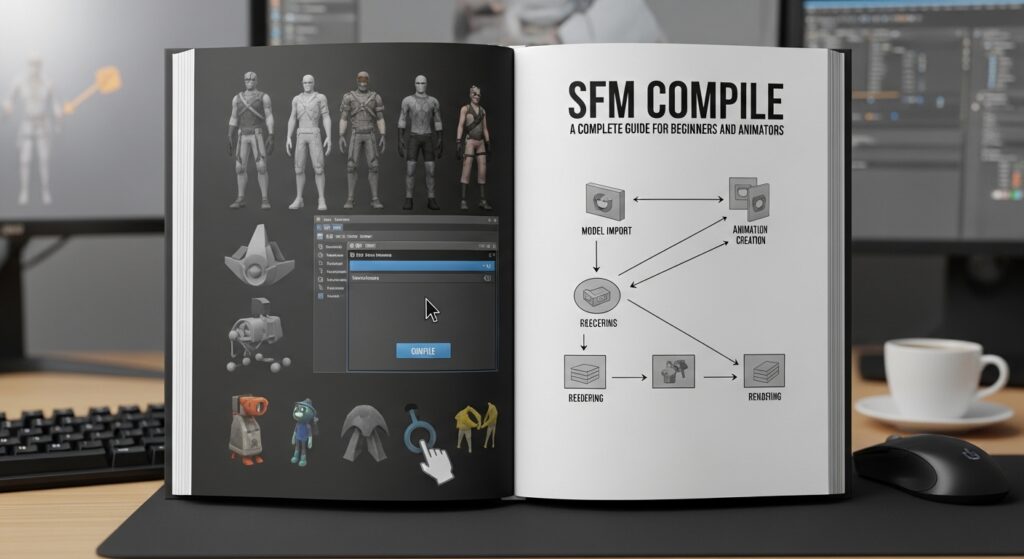
In the world of digital animation and 3D filmmaking, tools that allow creators to build scenes, animate characters, and render cinematic projects have become increasingly popular. One tool that stands out among animators and game enthusiasts is Source Filmmaker (SFM). Within the SFM workflow, an important process known as SFM compile plays a crucial role in preparing models, textures, and assets for use inside the software.
For many beginners, understanding how SFM compile works can seem complicated at first. However, once the basic concepts are clear, the process becomes an essential step in creating high-quality animations and custom content. This article explores what SFM compile means, how it works, and why it is important for creators working with Source Filmmaker.
What Is Source Filmmaker
Source Filmmaker, often abbreviated as SFM, is a free animation tool developed by Valve. It allows users to create animated movies using assets from games that run on the Source engine.
Unlike traditional animation software that requires building everything from scratch, SFM uses pre-existing game models, environments, and characters. This makes it easier for creators to produce cinematic scenes using familiar assets.
Many creators use Source Filmmaker to produce short films, fan animations, memes, and storytelling projects based on popular video games.
Because of its flexibility and powerful tools, SFM has become widely used in gaming communities and digital art circles.
Understanding the Meaning of SFM Compile
The term SFM compile refers to the process of converting 3D models and other assets into formats that the Source engine and Source Filmmaker can use.
When artists create custom models in 3D software such as Blender or Maya, those models cannot be used directly in SFM. They must first go through a compilation process that converts them into the correct file format.
This process prepares the model so it can function properly inside the Source engine environment.
Compilation ensures that the model includes all necessary components such as textures, skeleton rigs, and physics data.
Why SFM Compile Is Important
Compiling models correctly is essential for anyone who wants to add custom assets to Source Filmmaker.
Without compiling, SFM would not recognize the files created in external modeling software. The compile process acts as a bridge between the modeling program and the animation engine.
Proper compilation ensures that models appear correctly in the scene, move with the correct animations, and interact with lighting and physics as expected.
For creators who want to design original characters or environments, mastering SFM compile is a key skill.
The Basic Workflow of SFM Compilation
Although the technical details can vary depending on the tools used, the general SFM compile process follows several common steps.
First, the artist creates a 3D model using modeling software. This model includes geometry, textures, and a skeleton structure for animation.
Next, the model is exported into an intermediate format that Source engine tools can read.
Then the compile tools convert that file into a Source model format, which includes specific files required by the engine.
These files typically include:
Model files that define the geometry
Material files that control textures and appearance
Animation data for character movement
Physics data that defines collision and physical behavior
Once compiled, the asset can be placed into the appropriate folder where Source Filmmaker can access it.
Common Tools Used for SFM Compile
Several tools are commonly used in the compilation process for Source Filmmaker assets.
Crowbar is one of the most widely used compile tools. It helps convert model files into Source-compatible formats and also allows users to decompile existing models for study or modification.
Another tool often involved in the workflow is Blender, a powerful open-source 3D modeling and animation program. Many creators design their models in Blender before exporting them for compilation.
Texture editing software such as Photoshop or GIMP may also be used to prepare materials and surface details before compiling.
These tools together form the typical pipeline used by SFM creators.
Challenges Beginners May Face
For newcomers, SFM compile can seem intimidating because it involves multiple steps and specialized tools.
Some common challenges include incorrect file paths, missing textures, or errors in the model structure.
If a model is not compiled correctly, it may appear invisible, distorted, or broken when imported into Source Filmmaker.
Fortunately, many tutorials and community guides are available to help beginners learn the process step by step.
With practice, the workflow becomes easier and more efficient.
The Role of Custom Models in SFM
Custom models play a huge role in expanding the creative possibilities of Source Filmmaker.
While the software includes many assets from Source engine games, creators often want to introduce original characters, props, or environments.
By compiling their own models, artists can produce entirely unique scenes that go far beyond the default game assets.
This creative freedom has helped build a large community of animators who share models, tutorials, and resources with one another.
SFM Communities and Collaboration
The Source Filmmaker community is known for being collaborative and supportive. Many artists share guides that explain the compilation process and provide resources for beginners.
Forums, video tutorials, and community discussions often cover topics such as SFM compile, animation techniques, and lighting tips.
By learning from others and experimenting with different workflows, creators can improve their skills and produce more complex animations.
The community-driven nature of SFM has played a big role in keeping the platform active and creative.
Tips for Successful SFM Compilation
For those learning the process, a few practical tips can make SFM compile easier.
Keeping file structures organized is extremely important. Clear folder organization helps the software locate textures and model files.
Testing models in stages can also help identify errors early in the process.
Following detailed tutorials when learning new tools can save time and prevent frustration.
Most importantly, patience and experimentation are key. Compiling models is a technical process that becomes easier with experience.
The Future of SFM and 3D Animation
Even though newer animation tools have been released, Source Filmmaker remains popular among many creators. Its integration with the Source engine and large library of assets make it a powerful storytelling tool.
As 3D animation technology continues to advance, creators may combine SFM with modern modeling and rendering techniques.
The skills learned through processes like SFM compile can also help artists transition to other professional animation tools and game engines.
This makes SFM a valuable starting point for aspiring animators and digital artists.
Conclusion
SFM compile is an essential part of the workflow for anyone creating custom assets for Source Filmmaker. It converts 3D models and resources into formats that the Source engine can recognize and use in animation projects.
While the process may seem complex at first, learning how to compile models opens the door to limitless creative possibilities. Artists can design their own characters, environments, and props, transforming simple scenes into unique cinematic experiences.
With practice, the SFM compile process becomes an important skill that allows creators to expand their animation projects and fully explore the capabilities of Source Filmmaker.