

After using your computer for a while, do you find it running slowly or lagging because you’ve installed too much software? Are you frustrated by accidentally installing bundled software during setup? When you try to uninstall programs using the Windows default tool, do you often find it fails to completely remove residual files or stubborn software? If so, you can try IObit Uninstaller 15, a tool designed for software uninstallation that provides an easy and secure way to completely eliminate unwanted programs, malicious/ad browser extensions, and Windows Apps.
Why You Need a Complete Uninstall Tool
First, Windows’ default uninstaller has limitations—it cannot completely remove residual files. As a result, leftover folders in Program Files or AppData, along with cache and log files, tend to accumulate over time, taking up valuable disk space.
Second, registry remnants often remain after uninstallation, which can also slow down your system. When it comes to stubborn or corrupted software that won’t uninstall properly, Windows’ default tool is usually powerless.
Therefore, while Windows’ default uninstaller is sufficient for basic needs, it falls short when it comes to thorough cleaning, efficiency, and deep scanning. That’s where a more professional tool like IObit Uninstaller comes in.
Key Features of IObit Uninstaller 15
Easy Uninstall & Complete Cleanup
IObit Uninstaller uses advanced algorithms to instantly identify bundled software during installation, allowing you to quickly and easily remove any unwanted components. It supports the removal of over 4,000 stubborn programs, ensuring that all traces are completely eliminated. The Force Uninstall+ feature can thoroughly remove programs that cannot be deleted through standard methods—whether due to missing uninstall entries or issues with the built-in uninstaller.
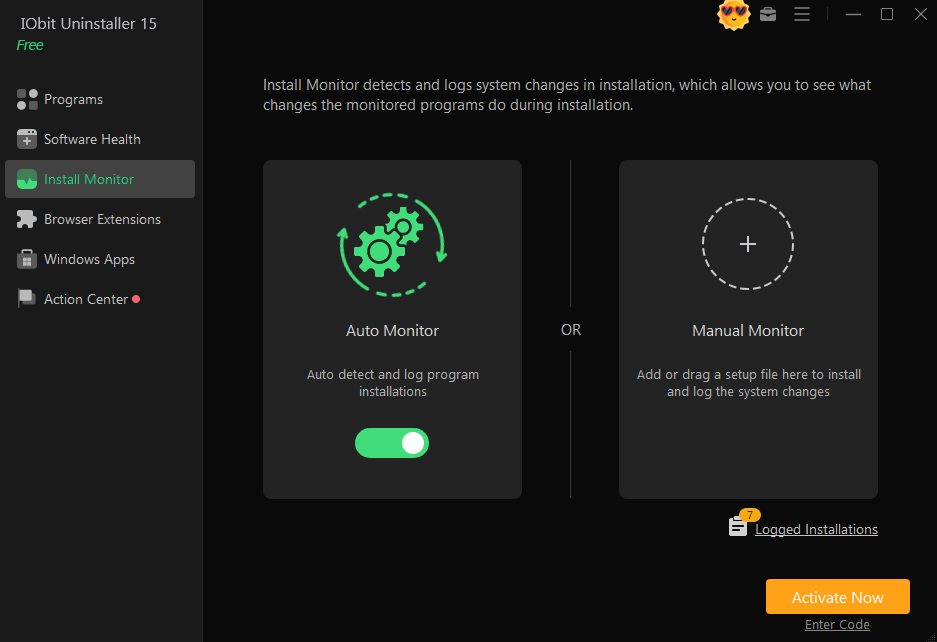
Real-Time Install Monitor
The Install Monitor offers a secure way to log program installations, tracking startup items, system services, scheduled tasks, DLL registrations, and other components created during the installation process. This guarantees a complete and hassle-free uninstallation whenever you decide to remove the logged software.
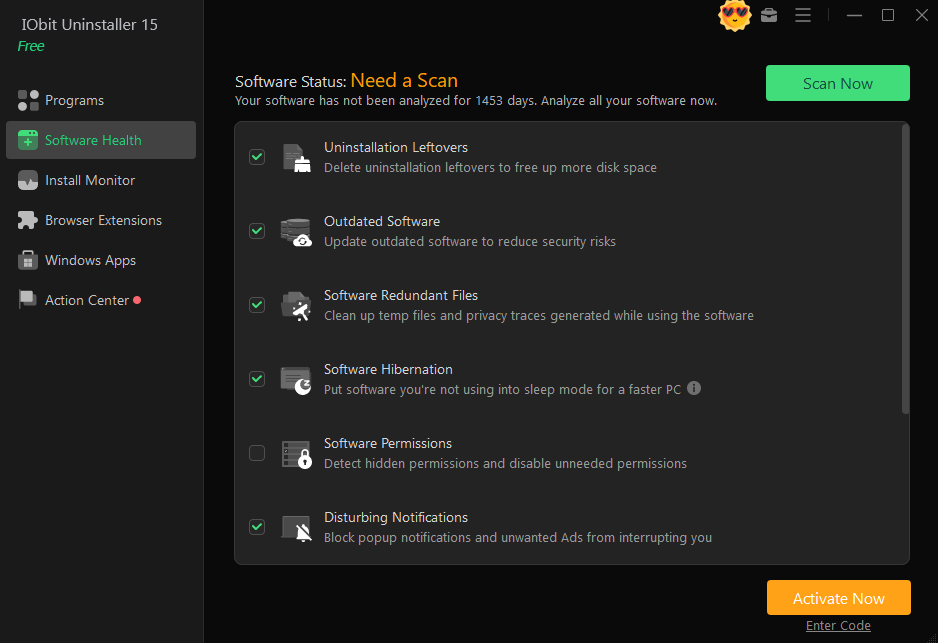
Intelligent Software Health
This feature can be used to manage hidden software permissions, block annoying pop-up notifications, clean up unnecessary installation files, and remove malware and browser extensions. It not only improves software performance but also reduces potential system security threats. The software hibernation feature allows you to put unused applications into sleep mode, thereby boosting overall computer performance.
SFM Compile: A Complete Guide for Beginners and Animators
How to Completely Remove Apps Using IObit Uninstaller 15 (Step-by-Step)
Step 1: Download and Install IObit Uninstaller 15
Download, install, and launch the program from the official website.
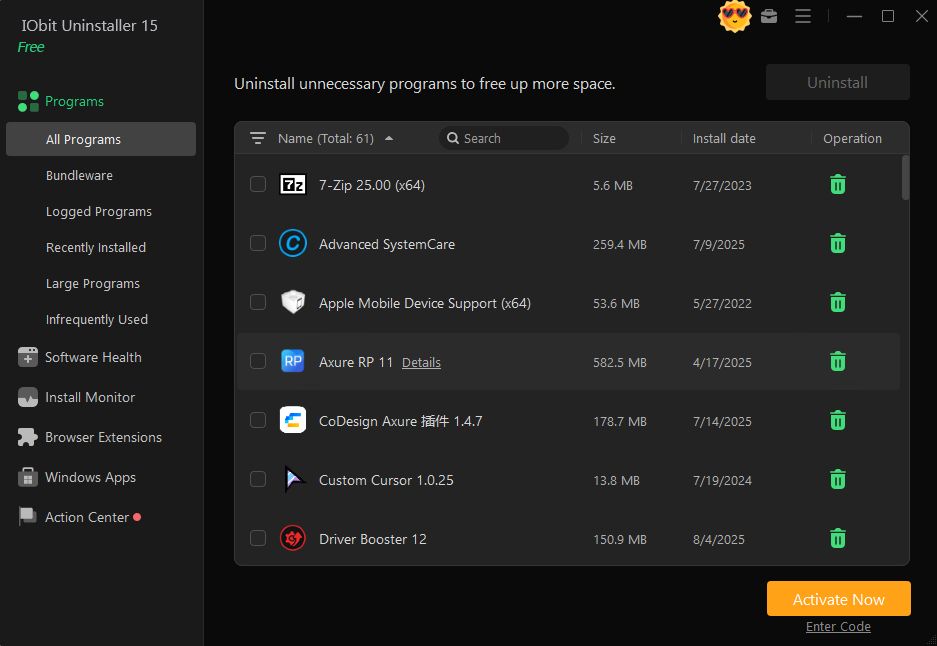
Step 2: Select the App You Want to Remove and Click “Uninstall”
Find the target software in the program list. Click the uninstall button to start the uninstallation process.

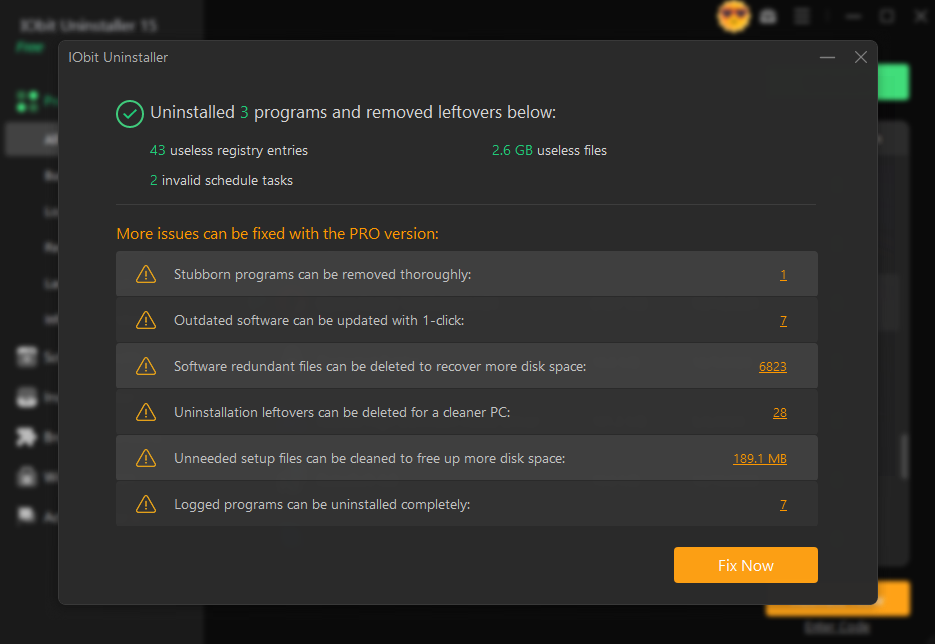
Step 3: Confirm Complete Removal
You can confirm that the software has been completely removed.
What’s new in IObit Uninstaller 15
+ Upgraded uninstall engine for faster and more thorough program removal
+ Enhanced silent uninstallation to be more automatic without any manual operations
+ Enlarged Stubborn Program database to support removing 4000+ stubborn programs
+ Optimized Software Health for deeper residual cleaning and more accurate detection of software’s impact on system performance
+ Added support for ARM systems
Pros and Cons of IObit Uninstaller 15
Pros
- Beginner-Friendly: IObit Uninstaller 15 features a clean, intuitive interface that allows even novice users to quickly locate and uninstall unwanted software with just one click.
- Deep Scan for Thorough Uninstallation: Unlike Windows’ built-in uninstaller, IObit Uninstaller 15 performs a deep scan after the standard uninstallation process to remove residual files, folders, and registry entries—ensuring a cleaner system.
- Batch Uninstallation Saves Time: You can uninstall multiple programs at once, making it ideal for quickly cleaning up a cluttered computer.
- A Safer, Smoother Browsing Experience: IObit Uninstaller 15 removes browser extensions and toolbars to protect your privacy. Its expanded database can detect more malicious extensions and toolbars in Chrome, Firefox, Edge, and Internet Explorer. Additionally, the new browser notification blocker helps eliminate annoying pop-up notifications while you browse the web.
Cons
Some Features Locked Behind Pro Version: While the free version is powerful, advanced features like Auto Clean Residual Left by Other Uninstallers require a paid upgrade.
Conclusion
IObit Uninstaller 15 is a powerful uninstaller for Windows, offering a fast, simple, and effective way to remove unwanted software. While the free version has some limitations, its ease of use, batch uninstall feature, and deep cleaning make it one of the best uninstall tools for Windows PCs.